Open beta · 7-day Pro trial · Mac & PC · Suite install
Chaos is not a creative choice.
Organize your Premiere Pro or DaVinci Resolve project in seconds
Project Architect
Workflow tool for Premiere Pro and DaVinci Resolve
1 seat, 1 machine: Premiere Pro and DaVinci Resolve.
From smartphone to Venice 2.
Mac & PC
Rushes stay on your machine. Sorting is 100% local.
Stop losing hours organizing a project.Project Architect structures video, audio, images, sequences, and the rest of the bin, in seconds.
Leave organization to Project Architect and focus on your craft: editing.
Open beta · 7-day Pro trial
Colin Smith, Video RevealedI ran it on a project with many assets - it performed like a champ. Brilliant program: clean, fast, and accurate.
Recognized out of the box, from smartphone to Venice 2
01 / Before · after
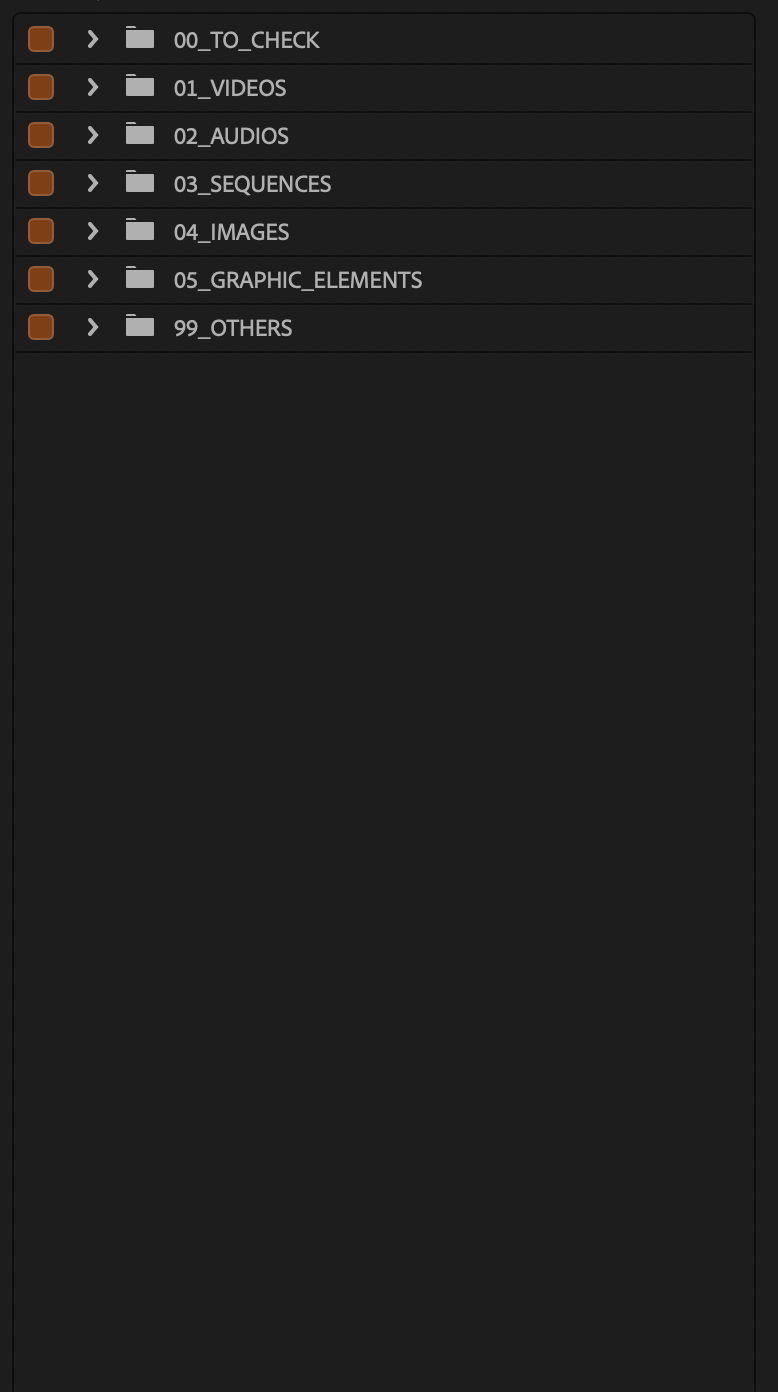
One run : ready to edit !
Same engine. Premiere Pro and DaVinci Resolve. Left: a messy bin. Right: sorted with Project Architect. In record time.
Premiere Pro
DaVinci Resolve
The time to grab a coffee: bin organized. Rushes on disk: untouched.
02 / Coverage
The whole bin, not just video
From ingest, Project Architect files the whole Premiere bin or Resolve Media Pool by real architecture: cameras and day, audio, stills and VFX sequences, MOGRT, timelines, plus TO_CHECK and 99_OTHERS for the rest.
- Video brand, model, shoot day · other videos
- Audio WAV, MP3, recorder files
- Images stills, logos, PSD, VFX sequences
- Graphic elements MOGRT / Motion Graphics
- Sequences including assembly sequences
- Housekeeping TO_CHECK, offline, duplicates, proxies · effect layers → 99_OTHERS
03 / How to do
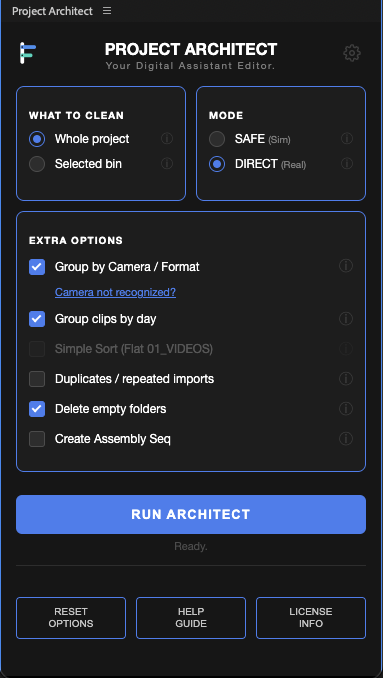
Easy in just 3 clicks
Easy to use. A powerful engine working behind the scenes.
-
1
Choose the scope
Whole project, or only the bins you selected. Iterate on one client batch without touching the rest.
-
2
Choose the mode
SAFE simulates and hands you a report with zero changes. DIRECT applies it. Turn on brand, model, day and the rest per run.
-
3
Run
The bin is structured, edge cases isolated, empty bins cleaned. A report and the session log keep who, when, what.
-
Options
Camera / format, day, duplicates, empty folders, assembly sequence.
Report
Simple or detailed .txt, plus the session log.
Disk
Nothing moved, renamed or deleted outside Premiere Pro or DaVinci Resolve.
04 / Features
Built for real editorial workflows
Cameras
Brand, model, shoot day
A Nikon ZR and RED Komodo-X on the same shoot day land as bins by date, then brand and model, ready before the first cut. Identical bodies on the same day are split by serial suffix when the camera provides one.
See details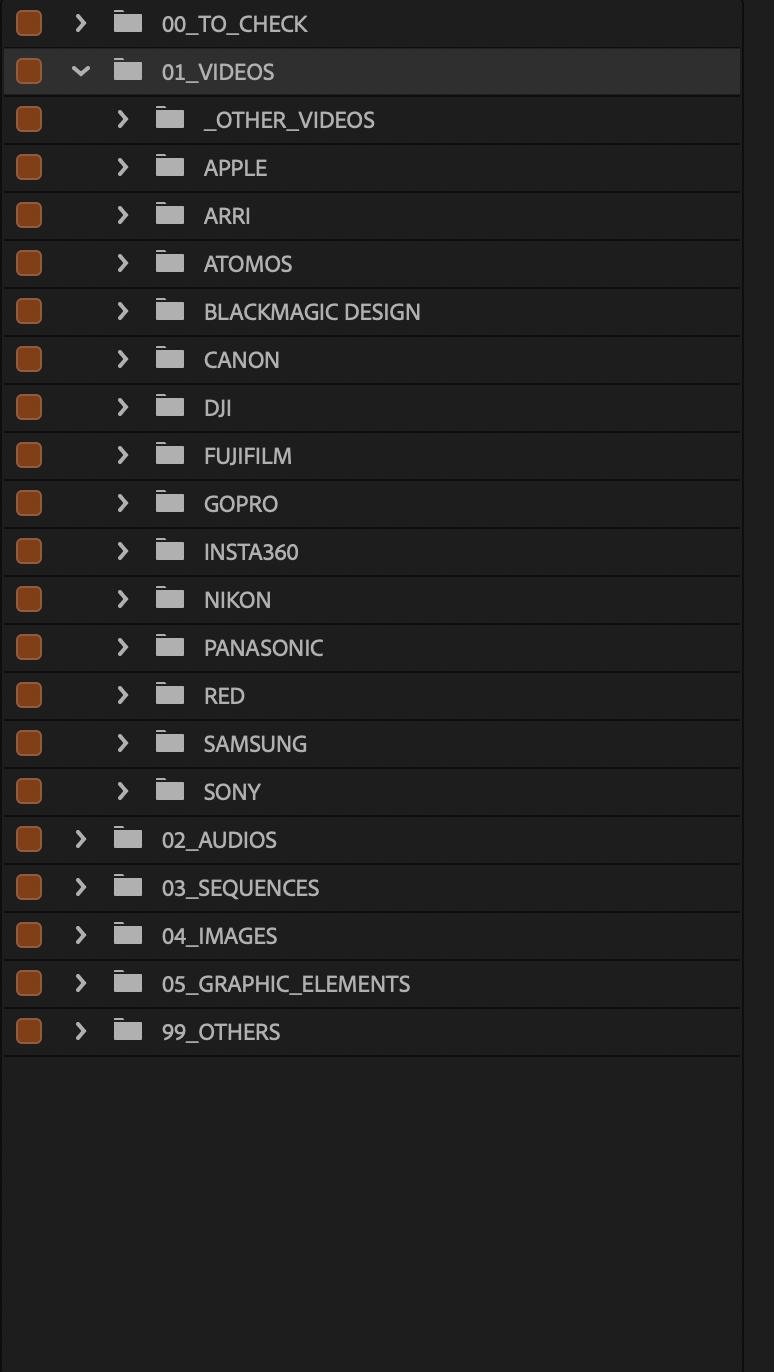
Control
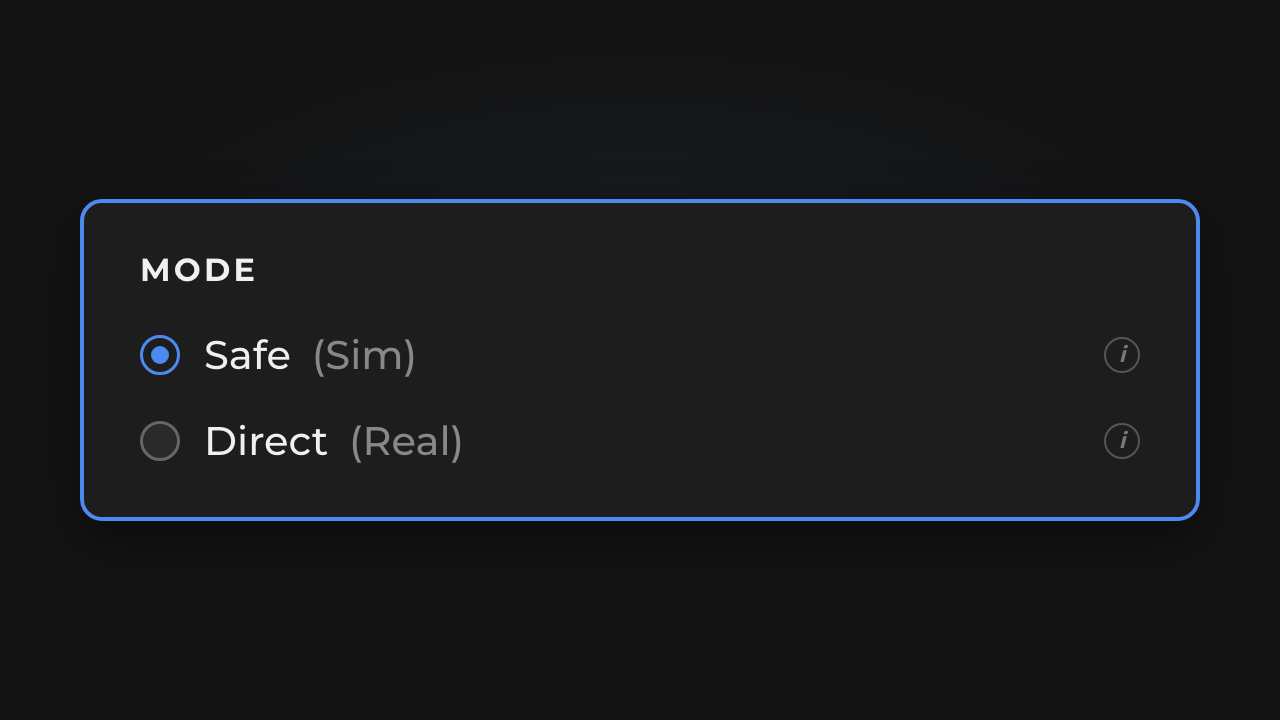
SAFE or DIRECT
Simulate first with a full report, apply when the plan is approved.
Hygiene
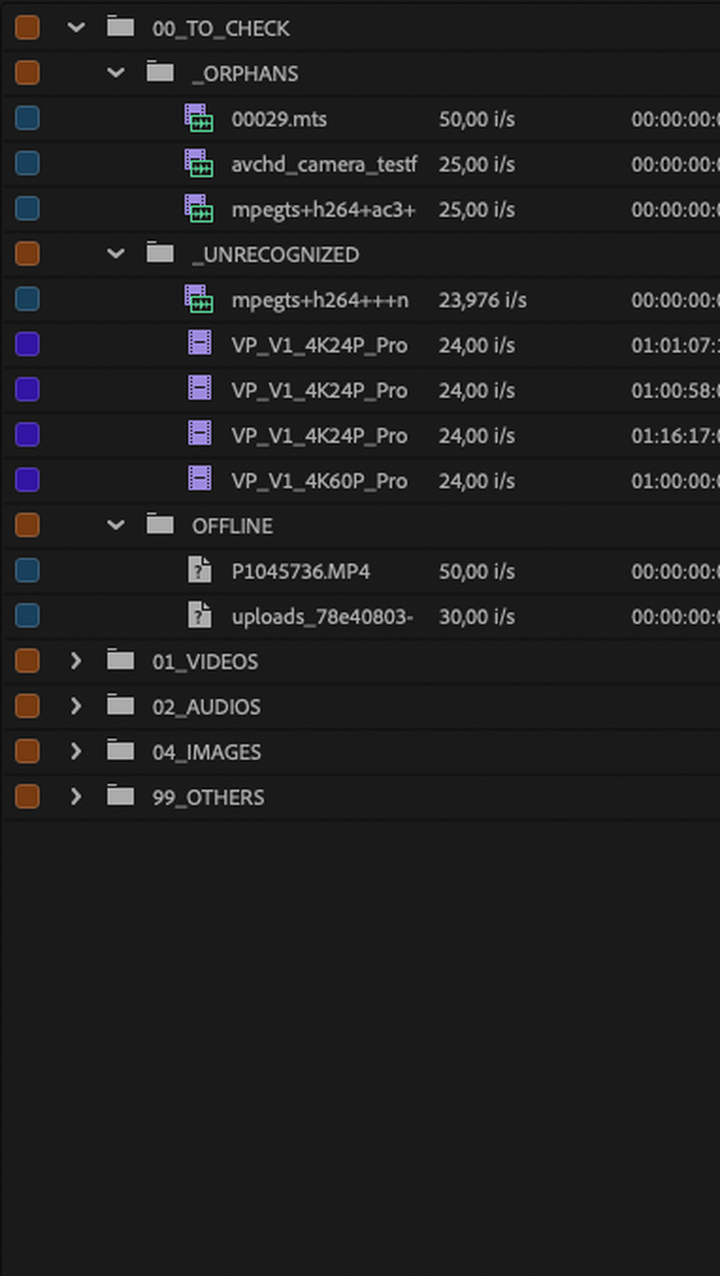
TO_CHECK quarantine
Unrecognized clips, offline media and orphans in one list instead of scattered through the project.
Media
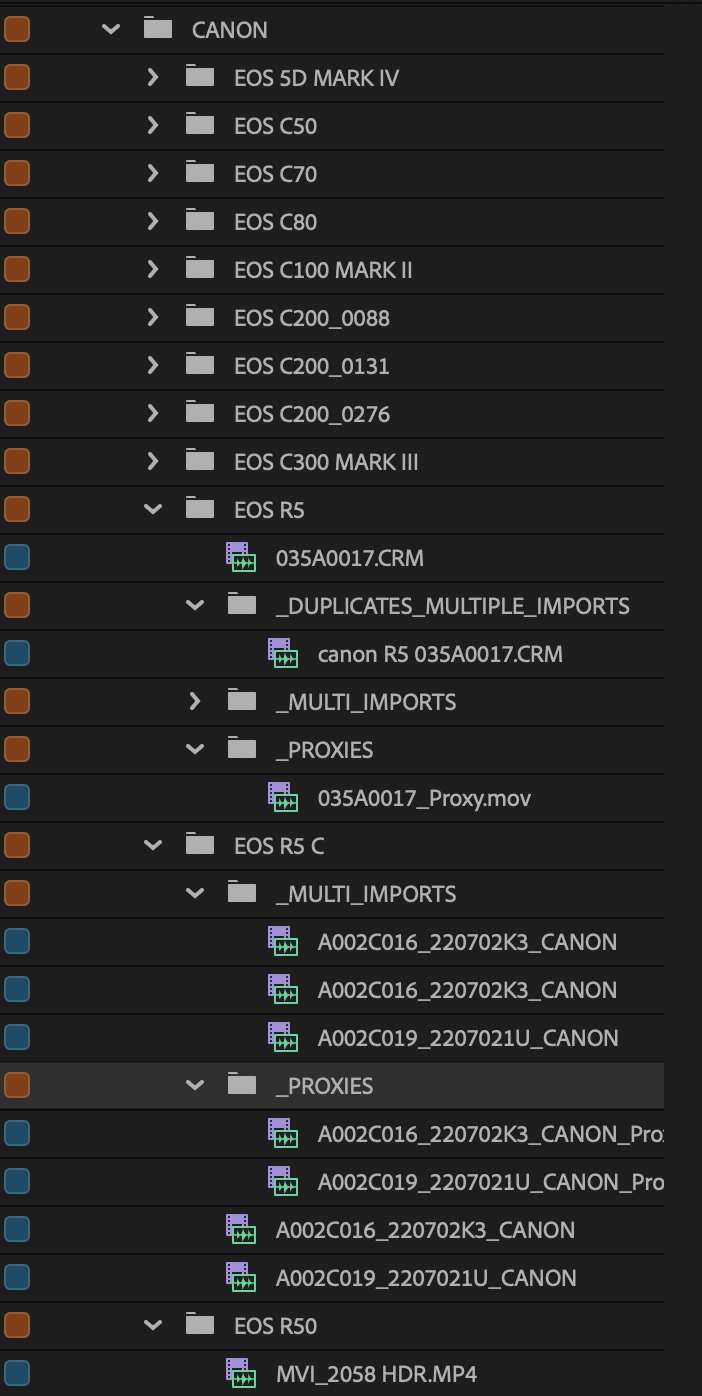
Proxies & duplicates
Proxies stay beside their master. Duplicates and multi-imports are spotted and filed.
Head start
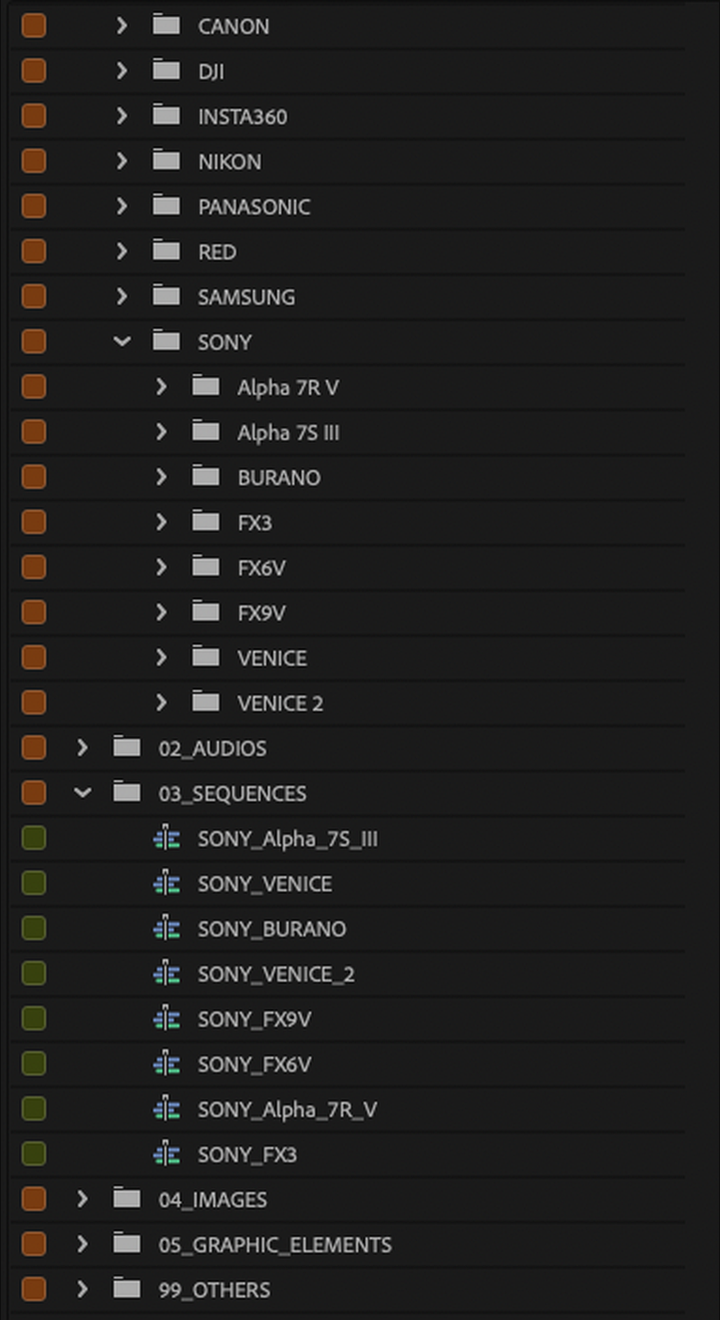
Assembly sequences
Optionally string a bin end to end so you can start cutting right away.
Traceability
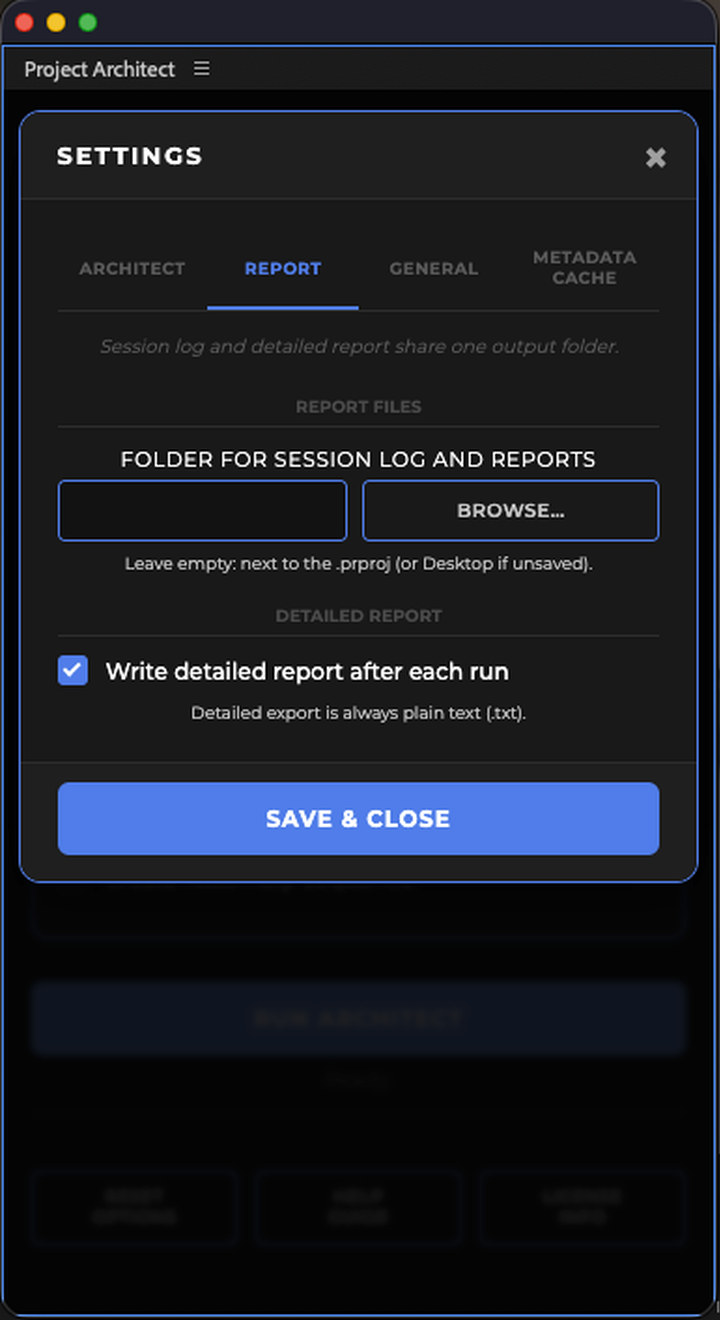
Reports and logs
Every run can output a simple or detailed report plus the session log: who, when, what. Useful for the team, the client, or an audit.
Your habits
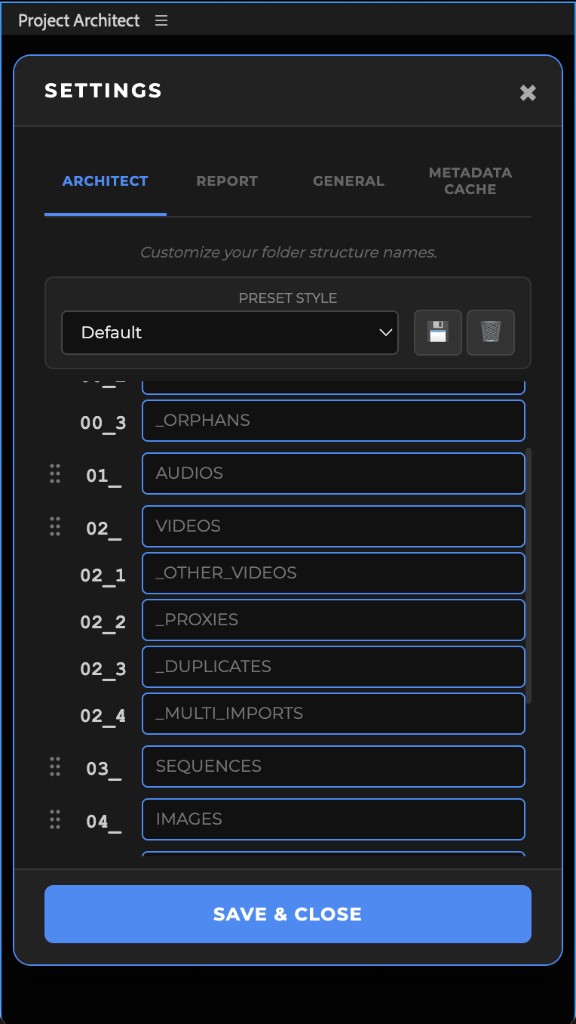
Your naming, your language
01_RUSHS instead of 01_VIDEOS? Or put audio first? Rename bins, drag families, save presets. Interface in 12 languages.
Camera coverage
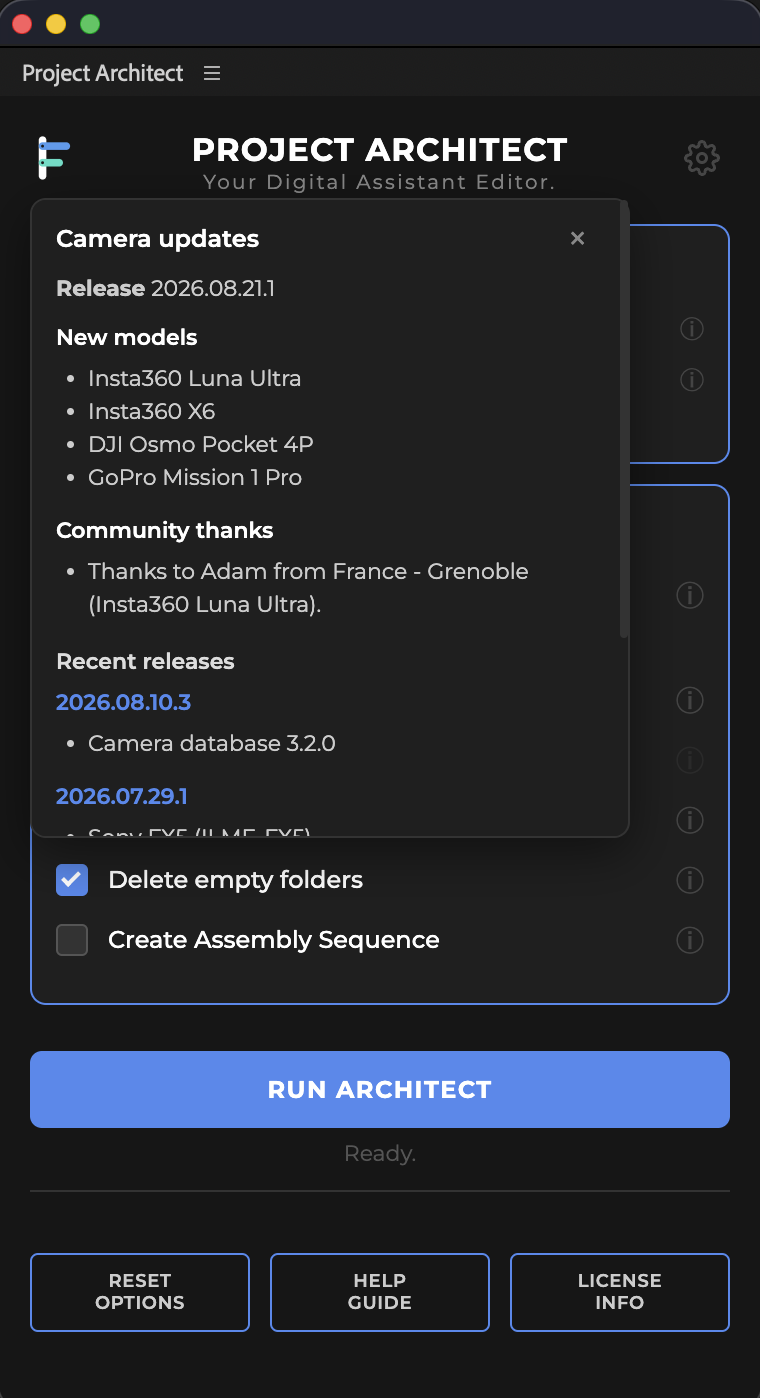
New cameras, often no reinstall
When possible, the recognition database updates remotely. When it cannot, you reinstall the Suite (or the Premiere-only ZXP from Adobe Exchange).
05 / Privacy
Built for privacy. Built for real productions.
Rushes never leave your machine. Project Architect sorts the Premiere Pro bin or DaVinci Resolve Media Pool locally. No clip imagery, no footage, no project structure uploaded to the cloud.
This is the right setup when a policy, NDA, or broadcaster forbids sending rushes off the machine. Your media stays yours.
Internet is used for licensing and technical tool updates. Media leaves your machine only if you voluntarily send a short camera sample via Contribute.
Software privacy policy06 / Payback
Pays for itself on the first shoot
Jacob Bricca, Documentary Editing: Principles & PracticeIngest and bin organization typically take 5 to 10% of the edit.
8-16 h
typical range on a one-month edit schedule
Longer projects scale up. And it comes back each time you import more video, audio, or images.
07 / Beta
Open beta. Download, test, tell us
Open beta. Try Pro for 7 days via download. Useful feedback on a real project can extend Pro access.

Colin Smith, Video RevealedSorting cameras by day is a game changer. That alone saves so much time and allows the editor to begin working right away.
08 / FAQ
FAQ
How does Project Architect fit into Premiere Pro and DaVinci Resolve?
It is a workflow tool (Suite install for Premiere Pro and DaVinci Resolve, or Premiere-only ZXP on Adobe Exchange) with a panel inside the NLE. Organization happens in the project, not via an external tool.
Does one license cover Premiere Pro and DaVinci Resolve?
Yes. One seat equals one active machine. On that machine, Project Architect Suite works in Premiere Pro and/or DaVinci Resolve. It is not two licenses. Two editors need two seats. Desk and laptop of the same editor: yes, never both Pro at once (seat transfer).
Are my files touched, moved, or modified on disk?
No. Project Architect only works inside the Premiere Pro bin or DaVinci Resolve Media Pool. Your rushes on disk are not moved, renamed, or altered.
Does anything leave my machine?
No media. Footage, clip names and project structure stay local. Network is used for the license, the trial email, and optional technical updates such as the camera database.
Sending a short sample via focol.io/contribute is an explicit choice: private hosting, used only to improve camera recognition, then deleted.
Does it only organize video?
No. Video, audio, images, sequences, titles and graphics, plus hygiene: TO_CHECK, offline, orphans, duplicates, multi-imports, proxies next to masters. Every run can produce a report and a session log.
How does the beta work?
Open beta. Download the Suite for a 7-day Pro trial, no card. Send constructive feedback to [email protected]. Useful feedback on a real project can extend Pro access.
What happens when the Pro trial ends?
Pro options turn off and the panel falls back to simple sort by media type, which stays free. Nothing on disk or in your existing projects is changed. Useful feedback on a real project can extend Pro access.
Can the Pro trial be extended?
Yes. If you send useful feedback on a real project, we can extend Pro access. Write to [email protected].
What is the license portal?
The license portal lets you manage seats yourself. Sign in with your license email and a one-time code (OTP). No password to share. One key equals one seat: desk and laptop of the same editor, yes, never both Pro at once. You can release a seat, copy a key, rename (label only), regenerate a key, follow activity per seat, and export a CSV. More how-to answers: portal FAQ.
Can I move a seat or free a machine myself?
Yes. In the license portal, release the seat, then activate the same key on the new machine. Activating elsewhere transfers the seat. It is not a ban.
What if a license key is shared or leaked?
Regenerate it in the license portal. The old key is revoked forever. The new key appears in the portal and is sent by email. Limit: once per day per seat.
Can a teammate manage licenses while I am away?
Yes. From the portal you can invite up to 3 teammate emails. They can release or regenerate without using your license inbox. You can revoke access anytime. Step-by-step answers: portal FAQ.
Does Pro work offline?
Active Pro needs periodic network validation. You get about 30 days offline, plus a short grace. After that, reconnect so the license can validate again. Day-to-day editing does not upload your media.
Is there a 24-hour machine limit?
Yes. Up to 2 different machines in a rolling 24 hours. Round trips between those two (desk / laptop) do not consume extra slots. A 3rd machine in that window is blocked. See the panel: Different computers (24 h).
What counts as license abuse? Can a key be suspended or banned?
Not abuse: desk to laptop within the 2-machine / 24 h quota, releasing a seat in the license portal, or regenerating a compromised key. Seat transfer is not a ban.
Abuse includes: sharing one Solo key with several editors, publishing or reselling a key, bypassing the seat or quota model, spoofing a machine ID, or spamming activation or validation calls.
FOCOL may warn, suspend, or permanently disable a key after human review (no opaque automatic ban). Details: EULA. Licenses / abuse: [email protected].
Is my camera model supported?
A wide range, from smartphone to Venice 2 and Alexa. Non-exhaustive:
- Sony Venice 2, Burano, FX3, FX6, FX9 · Canon C80, C200, R5 C · ARRI Alexa Mini LF, Amira
- RED Komodo, V-RAPTOR, EPIC · Blackmagic Pocket 6K, PYXIS, URSA · Panasonic Lumix S5 II
- Nikon Z 8, Z 9 · DJI Inspire 3, Osmo Pocket · GoPro, Insta360, Atomos, smartphones
A model missing? Send a 2 to 3 second original rush at focol.io/contribute. Recognition can often arrive via OTA update, otherwise in a tool update.
What is the camera database OTA update?
When possible, the recognized-camera list updates on its own (OTA), without reinstalling. When it cannot, you reinstall the Suite (or the Premiere-only ZXP from Adobe Exchange). A model you send via Contribute can show up on later runs once that update is published, or in a tool update.
Is there a Discord for editors?
Yes. A room for editors and post-prod: exchange with other editors, share bins organized with Project Architect, answer product surveys, and ask the /pa bot (12 languages). Sensitive cases stay on [email protected]. Invite: discord.gg/pM4knTRqvC.
Your next shoot, already organized.
Try it on a real project. Then tell us what worked, and what broke, on your machine.
Try the betaOpen beta · 7-day Pro trial · Mac & PC · Suite install